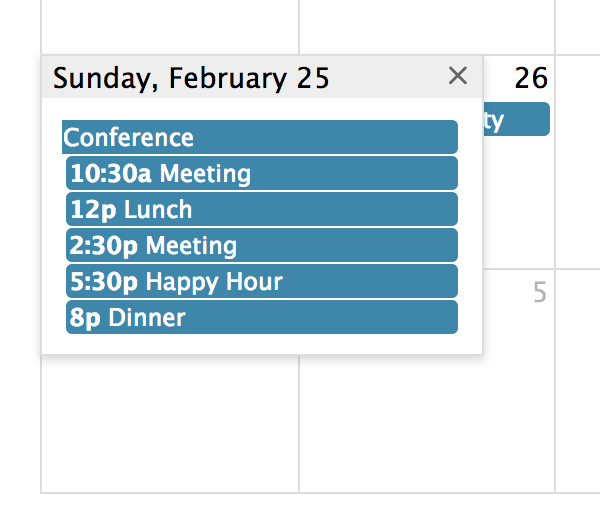
Docs Event Popover
When not all events will fit in a given day, you can display the excess events in a small window that will show up when the user clicks a “more” link.
This UI component only applies to Month view, DayGrid view, and the “all-day” slot of TimeGrid view.
dayMaxEventRows
In dayGrid view, the max number of stacked event levels within a given day. This includes the +more link if present. The rest will show up in a popover.
dayMaxEvents
In, dayGrid view, the max number of events within a given day, not counting the +more link. The rest will show up in a popover.
eventMaxStack
For timeline view, the maximum number of events that stack top-to-bottom. For timeGrid view, the maximum number of events that stack left-to-right.
moreLinkClick
Determines the action taken when the user clicks on a "more" link created by the dayMaxEventRows or dayMaxEvents options.
popoverFormat
Determines the date format of title of the popover created by the moreLinkClick option.
More-Link Render Hooks
These hooks apply to more-links across views. For subtype-specific styling, see Column More-Link Render Hooks and Row More-Link Render Hooks.
Column More-Link Render Hooks
Column more-links appear in TimeGrid view when too many timed events overlap within a day column.
Row More-Link Render Hooks
Row more-links appear in row-based layouts such as DayGrid rows and Timeline rows when too many events would otherwise be shown.