Docs TimeGrid View
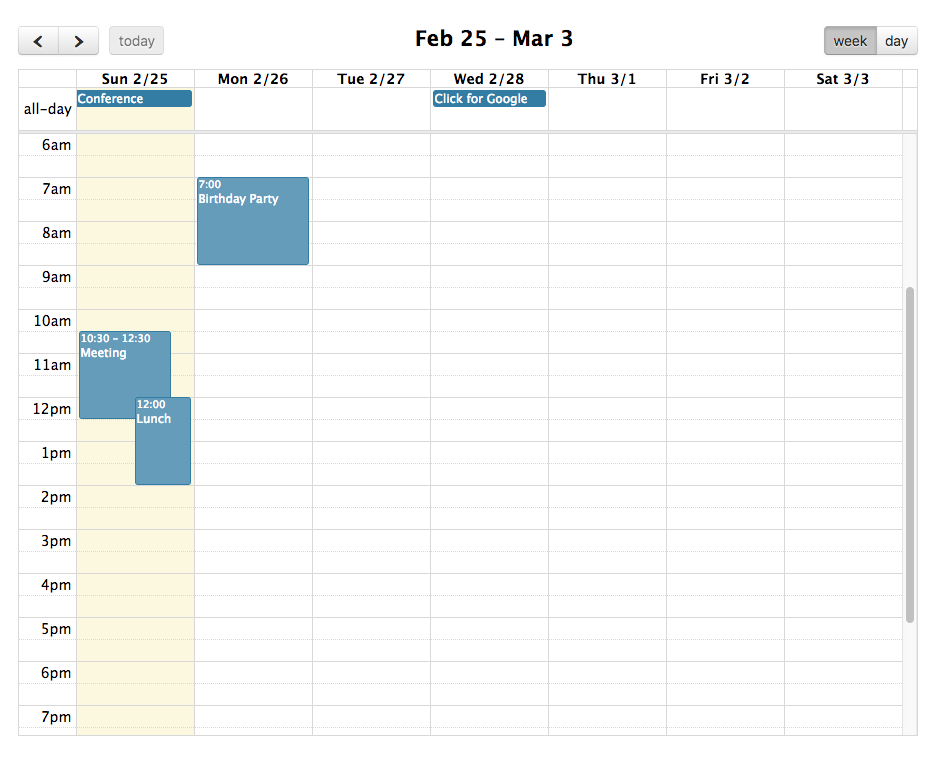
A TimeGrid view displays one-or-more horizontal days as well as an axis of time, usually midnight to midnight, on the vertical axis. Either install via script tags or ES build system.
There are numerous other options throughout the docs that affect the display of TimeGrid view, such as the date/time display options and locale-related options.
Week & Day View
The following example shows how to toggle between timeGridWeek and timeGridDay:
import { Calendar } from 'fullcalendar'
import timeGridPlugin from 'fullcalendar/timegrid'

const calendar = new Calendar(calendarEl, {
  plugins: [timeGridPlugin],
  initialView: 'timeGridWeek',
  headerToolbar: {
    left: 'prev,next',
    center: 'title',
    right: 'timeGridWeek,timeGridDay' // user can switch between the two
  }
})Custom Duration
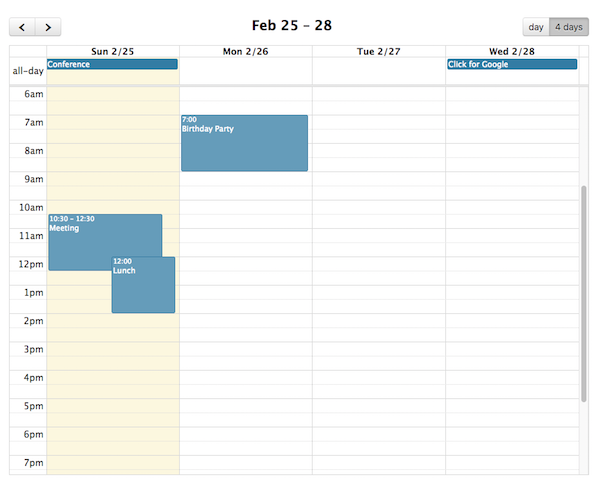
You can create TimeGrid views with arbitrary durations. The following creates a 4-day view:
import { Calendar } from 'fullcalendar'
import timeGridPlugin from 'fullcalendar/timegrid'

const calendar = new Calendar(calendarEl, {
  plugins: [timeGridPlugin],
  initialView: 'timeGridFourDay',
  views: {
    timeGridFourDay: {
      type: 'timeGrid',
      duration: { days: 4 }
    }
  }
})Week Number Header Render Hooks
In TimeGrid view, week numbers appear in the header above the time axis. Customize their appearance with these hooks.
All-Day Header Render Hooks
Customize the cell in the header area of TimeGrid view that labels the all-day section.
All-Day Divider Render Hooks
Customize the divider line beneath the all-day section in TimeGrid view.
Day-Lane Render Hooks
In TimeGrid view, a "day lane" is the vertical column of time slots for a given day. Customize its appearance with these hooks.
TimeGrid-specific Options
eventMinHeight
In timeGrid view, the minimum height an event is allowed to be.
eventShortHeight
In timeGrid view, the height threshold for when an event has a "short" style.
slotEventOverlap
Determines if timed events in TimeGrid view should visually overlap.
slotMinHeight
Determines how tall each of the time-axis slots will be. Specified as a number of pixels.
allDaySlot
Determines if the "all-day" slot is displayed at the top of the calendar.
eventPrintLayout
Controls how events are rendered in TimeGrid view when printing. Browsers, especially Firefox, have a tough time displaying absolutely-positioned elements across pages, which makes TimeGrid view especially problematic for print.
See Also
eventMaxStack
For timeline view, the maximum number of events that stack top-to-bottom. For timeGrid view, the maximum number of events that stack left-to-right.
slotDuration
The frequency for displaying time slots.
slotHeaderFormat
Determines the text that will be displayed within a time slot.
slotHeaderInterval
The frequency that the time slots should be labelled with text.
slotMinTime
Determines the first time slot that will be displayed for each day.
slotMaxTime
Determines the last time slot that will be displayed for each day. In line with the discussion about the Event object, it is important to stress that this should be specified as an exclusive end time.
Slot Header Render Hooks
Customize the slot header elements — where the date/time text is displayed — in timegrid and timeline views.
Slot Lane Render Hooks
Customize the slot lane elements in timegrid and timeline views. The lane is the long span of content next to the slot's date/time text. In timegrid view, this is the horizontal space that passes under all of the days. In timeline view, this is the vertical space that passes through the resources.
expandRows
If the rows of a given view don't take up the entire height, they will expand to fit.
nowIndicator
Whether or not to display a marker indicating the current time.
scrollTime
Determines how far forward the scroll pane is initially scrolled.